
BUILT AROUND YOUR SITE
Give the right person access to the right place.
Staff doors, visitor entrances and hotel rooms have different rules. We install access controllers, readers, attendance terminals and hotel locks around those routines. The first step is to describe who should enter, when, and who manages changes.
A SIMPLE SYSTEM VIEW

Clear door permissions
Define users, credentials, areas and permitted times. Make adding a person or withdrawing access part of the everyday operating plan.

Attendance that fits your process
Agree which events need recording, who reviews them and which exports or software connections are required. Door access and payroll are different functions.

Guest and visitor routines
Plan hotel credential issue, expiry and operator tasks. If visitor calling and door release must be integrated, confirm the required functions against the selected platforms.
UNDERSTAND THE PARTS
How the system comes together.
Choose a part to understand its role. These are system roles, rather than an installation wiring plan.
Person & credential
A person presents the selected card, code or other supported credential. The method is chosen for the users and the site.

Controller & permissions
The selected platform checks the configured permission. Online and offline behaviour, schedules and record handling depend on the exact equipment.
Door or lock
The door hardware carries out the authorised action. Door condition, locking hardware and required safe exit arrangements must be assessed together.

Operator & records
Authorised operators manage credentials and review the records included in the scope. Attendance exports and hotel integrations require their own compatibility checks.
Where are you starting?
Choose the situation closest to yours. The details help us plan the right next step.
Make staff changes manageable.
List the doors, staff groups and permitted times. Agree how visitors are handled and how credentials are withdrawn when a person leaves.
- Door and user schedule
- Visitor and contractor access
- Credential issue and withdrawal
Define the record your team needs.
Explain the attendance process before choosing a terminal. Required reports, export formats and any software integration should be demonstrated with the selected platform.
- Events and reports required
- Responsible record administrator
- Exact software and export needs
Plan the reception-to-room routine.
Room locks, card encoders and reception software need a confirmed platform combination. Define issue, expiry, lost-card handling and maintenance access before ordering.
- Lock and encoder compatibility
- Guest and staff credential rules
- Reception and recovery procedures
DECISIONS THAT SHAPE THE WORK
Settle the important questions early.
What is already fitted to each door?
Door material, condition, existing lock and cable access affect the installation. Required safe exit and emergency operation must be reviewed by the appropriate responsible parties.
What must work when a connection is unavailable?
Ask how permissions, records and lock operation behave without the relevant network, server or power source. The answer is specific to the selected architecture and hardware.
Which integrations are actually required?
Intercom video, door release, hotel software and attendance reporting are separate functions. State the task and verify the model, software and interface before promising a connection.
AN AGREED SCOPE
Know what you will receive.
- A door, hardware, user and permission schedule for the agreed areas.
- Installation and configuration of the compatible devices in the proposal.
- Checks of permitted and denied access and specified operator tasks.
- Credential administration, records and maintenance handover listed in the scope.
The quotation confirms the equipment, work, exclusions and handover for your project.
Questions before you start.
Can one card work across all systems?
Only where the credential technology, hardware and platforms support the intended arrangement. Similar-looking cards are not evidence that door, hotel and attendance systems share credentials.
Can an attendance terminal manage payroll?
Some products support selected exports or integrations. We confirm the required report and destination software; recording attendance alone does not establish payroll compatibility.
Can an intercom release a door?
This can be included where the selected intercom, controller and door hardware support it. Define the permitted operators and test the complete call-to-release sequence.
Equipment for this system.
A selection from the current catalogue. Compatibility, configuration, price and availability are confirmed for your request.
-
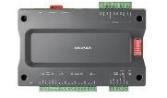
Hikvision DS-K2210 Elevator Master Controller
-

Hikvision DS-K1102MK Card Reader
-
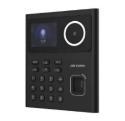
Hikvision DS-K1T320MWX Value Series Face Access Terminal
-
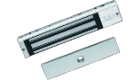
Hikvision DS-K4H258S One-Door Magnetic Lock
-
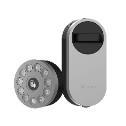
EZVIZ CS-DL01S/DL01CP/A3 Smart Lock with Multifunction Keypad and Home Gateway for AIR BNB
-
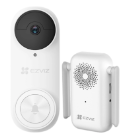
EZVIZ CS-DB2 (5MP) Video doorbell 5MP Resolution
Continue with the connected work.
See how this fits into our Electronic systems services.
LET’S MAKE THE NEXT STEP CLEAR
Discuss access and attendance
Send a door list and describe the people using each entrance.
Useful details to send
- Door photos and existing hardware
- Approximate users and permitted times
- Attendance, hotel or intercom requirements
- Existing software and administration arrangements