
BUILT AROUND YOUR SITE
Make the connection work where people actually use it.
A strong signal beside the router tells you little about the meeting room upstairs. We plan wired connections, Wi-Fi, fibre and rack equipment around the building, the people using it and the systems that need to stay connected.


Coverage in the right places
Map desks, guest rooms, busy areas and outdoor spaces before deciding where access points belong. Include the devices people actually use.

Cabling you can follow
Plan copper and fibre routes, organise the rack and label connections so a later change starts with a clear picture.

Access with a purpose
Decide what staff, visitors and connected systems should reach. Configure the network around those requirements, including the equipment you already own.
FOLLOW THE DATA
From the ISP to the last device.
Select a system or a device to see its role in the network. Cameras, phones and television share infrastructure, while keeping their own functions.
Interactive connection paths
Follow a system through the network. Select a device to see what it does.
From the ISP to the device.
The ISP connection reaches the router, then the switch distributes connectivity across the site. Wired computers connect to the switch; phones and wireless computers connect through an access point. Wi-Fi is the radio link between the access point and the device.
- ISP handoff
- Router & firewall
- Network switch
- Wired or Wi-Fi device
Local recording over the LAN.
IP cameras send video across the LAN to the recorder. A compatible PoE switch can carry data and supply camera power on the same cable. Local recording does not require Internet access; remote viewing depends on the agreed network and security setup.
- IP camera
- Network switch
- NVR recording
- Local viewing
Local control. Network management.
The reader sends a credential to the controller, which applies the configured access rules and controls the lock. Reader and lock wiring are local connections. The controller’s LAN link supports management and event exchange; it is a separate branch from the door wiring.
- Credential at reader
- Controller checks access
- Door lock responds
- Separate LAN management
Shared files, controlled access.
Computers reach shared files on a server or NAS through the LAN switch. Accounts and folder permissions control access. Same-VLAN file traffic does not require the ISP connection; routed access follows the network rules. Backups, retention and restore checks are planned separately. RAID alone is not a backup.
- User device on LAN
- Network switch
- Server or NAS
- Permitted shared files
Calling over the LAN.
IP phones register with the IP-PBX for extension calling and call control. A configured SIP trunk can connect external calls through the router. Voice media may pass directly between endpoints or through the PBX, depending on the setup. Compatible phones can receive PoE from the switch.
- IP phone on LAN
- Network switch
- IP-PBX call control
- Extension or SIP-trunk call
One stream. Multiple receivers.
An IPTV server sends a multicast channel across the LAN to compatible TVs or set-top boxes. IGMP snooping helps the switch forward each stream to interested receiver ports; an active querier maintains group membership. Equipment compatibility, VLANs, channel sources and content permissions are checked for the selected system.
- Server streams channel
- Receiver joins group
- Switch forwards stream
- Compatible display plays
More systems, the same planning. VoIP, storage and local IPTV share the LAN but have different traffic and configuration needs. The VoIP path illustrates call control; the IPTV path illustrates one-way media delivery to a joined receiver. Fire detection and evacuation use their own control arrangements; any monitoring gateway or integration is defined separately.
Illustrative paths, not live network monitoring. PoE* requires compatible ports and devices. Wiring, power and integrations depend on the equipment and site design. UPS equipment supplies backup power; it is not part of the data route.
Motion can be paused. All connection descriptions remain available.
Internet / ISP
The provider supplies the connection beyond the site. The router connects that service to the local network. Local file access, camera recording and the illustrated local IPTV stream do not inherently need the ISP connection.
ISP handoff
The provider delivers service through an ONT, modem or Ethernet handoff, depending on the connection. This is the boundary between the provider service and the customer network.
Router / firewall
Routes traffic between networks and applies the configured access rules. It connects the LAN to the ISP in this illustration. External VoIP calls and access between VLANs depend on the routing and security configuration; same-VLAN local traffic does not pass through it.
Explore routers & gatewaysNetwork switch
Connects rack equipment and wired devices across the LAN. Compatible PoE ports can also supply power within the switch power budget. Multicast, VLANs and access rules depend on the equipment and configuration.
Explore network switchesAccess point
Connects wireless devices to the local network over Wi-Fi. Its wired uplink reaches the switch; Internet access is available when the upstream connection and access rules permit it. Coverage, capacity and optional PoE are planned for the site.
Explore access pointsLaptop
A wireless laptop reaches the LAN through the access point. Internet, shared files and other permitted resources depend on the network and account rules.
No products for this device are listed yet.Mobile phone
A smartphone connects to the access point over Wi-Fi. It is separate from the wired IP desk phone shown for VoIP. Guest and staff access can be designed around the resources they should reach.
Wired PC
Connects to the LAN switch using Ethernet. Depending on permissions, it can reach the Internet, shared storage, camera viewing or access-management software.
No products for this device are listed yet.IP camera
Sends video over the LAN to the recorder. A compatible PoE switch can provide both data connectivity and camera power. Camera positions, scenes, recording settings and user access are defined for the actual site.
Explore IP camerasNVR
Receives camera video over the LAN and records it to the configured storage. Recording duration depends on storage sizing and video settings. Local recording does not require Internet access. Remote viewing needs a separately agreed secure setup.
Explore network video recordersAccess controller
Applies configured access rules and exchanges management information over the LAN. Reader and lock connections use the wiring required by the selected access system.
Explore access controllersReader & lock
The reader captures a credential. The controller checks the rules and operates the lock. Wiring, power and release arrangements depend on the selected system and door.
Explore RFID & NFC readersData storage
A server or NAS provides shared files over the LAN. Accounts and permissions control who can access them. Capacity, retention, backups and restore checks are planned separately. RAID alone is not a backup.
No products for this device are listed yet.IP-PBX
The VoIP server manages phone registration, extensions and call control. A configured SIP trunk can provide external calling. Voice media may flow between endpoints or through the PBX, depending on the setup.
Explore IP-PBX systemsIP phone
A wired desk phone registers with the IP-PBX through the LAN switch. Compatible models can receive PoE. Extensions, calling permissions, codecs and any external SIP trunk are configured for the installation.
Explore IP phonesIPTV server
Provides the illustrated multicast channel source on the LAN. IGMP snooping and an active querier support delivery to joined receivers. Source compatibility, network capacity and VLAN design are checked for the selected system.
No products for this device are listed yet.TV / set-top box
A compatible IPTV television or set-top box joins the required multicast group and receives its channel through the switch. Receiver features and network configuration must match the selected IPTV system.
No products for this device are listed yet.UPS
Supplies backup power to the equipment included in its power plan. Runtime depends on the connected load, battery condition and selected unit. It is a power device with no animated data route.
Explore line-interactive UPS unitsPatch panel
A passive termination point for installed data cabling. Patch leads connect the required ports to the switch. It organises and labels connections without actively forwarding traffic.
Explore copper patch panelsWhere are you starting?
Choose the situation closest to yours. The details help us plan the right next step.
Plan the routes before the finishes.
A new fit-out is the right time to coordinate outlets, fibre, rack space and access-point positions with the rest of the building work.
- Floor plans and the use of each room
- Device and outlet locations, including future additions
- Installation sequence and access before ceilings close
Find the cause before adding another access point.
Describe the locations, times and devices affected. We review the existing installation and agree checks that distinguish wireless coverage from other connection problems.
- Where the problem appears and who experiences it
- Existing router, switch and access-point models
- Whether wired devices have the same problem
Make room for the next system.
Cameras, IP phones and televisions add their own connection, power and traffic requirements. Review the infrastructure before expanding the equipment list.
- Required connections and switch power
- Access between users and technical systems
- Uplink capacity and the planned delivery method
DECISIONS THAT SHAPE THE WORK
Settle the important questions early.
Which brand fits the project?
Compare exact equipment, required functions, management and support. Reyee and UniFi can both be appropriate. Our buying guide explains the cloud-management choices without treating a logo as the answer.
Can we keep the existing network?
Useful equipment may stay if its condition, capacity and required features suit the new scope. Identify the models first, then decide what needs changing and which interruptions must be planned.
How will we know it works?
Agree representative locations and everyday tasks before installation. Check the selected wired links, wireless areas, user access and connected systems, then record the results and any unresolved items.
AN AGREED SCOPE
Know what you will receive.
- An agreed layout and complete equipment list, including accessories.
- The specified cabling, termination, rack and device installation work.
- Configuration and checks against the agreed users, areas and systems.
- Connection labels, relevant configuration records and an administrative handover.
The quotation confirms the equipment, work, exclusions and handover for your project.
A closer look at the installation.
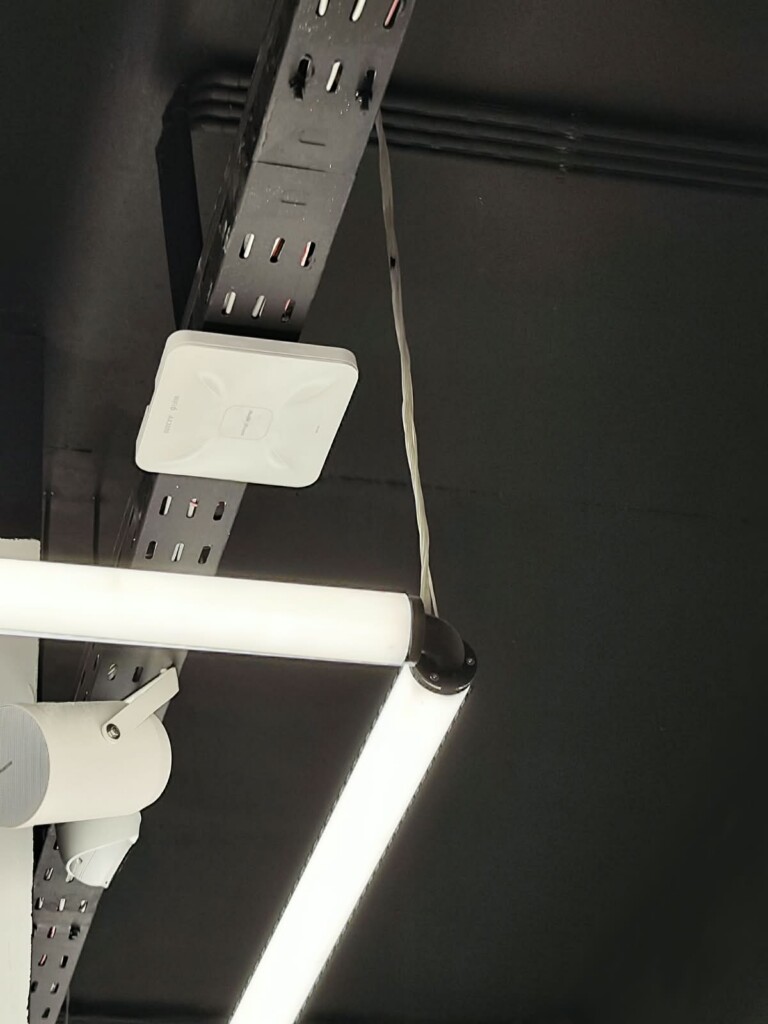
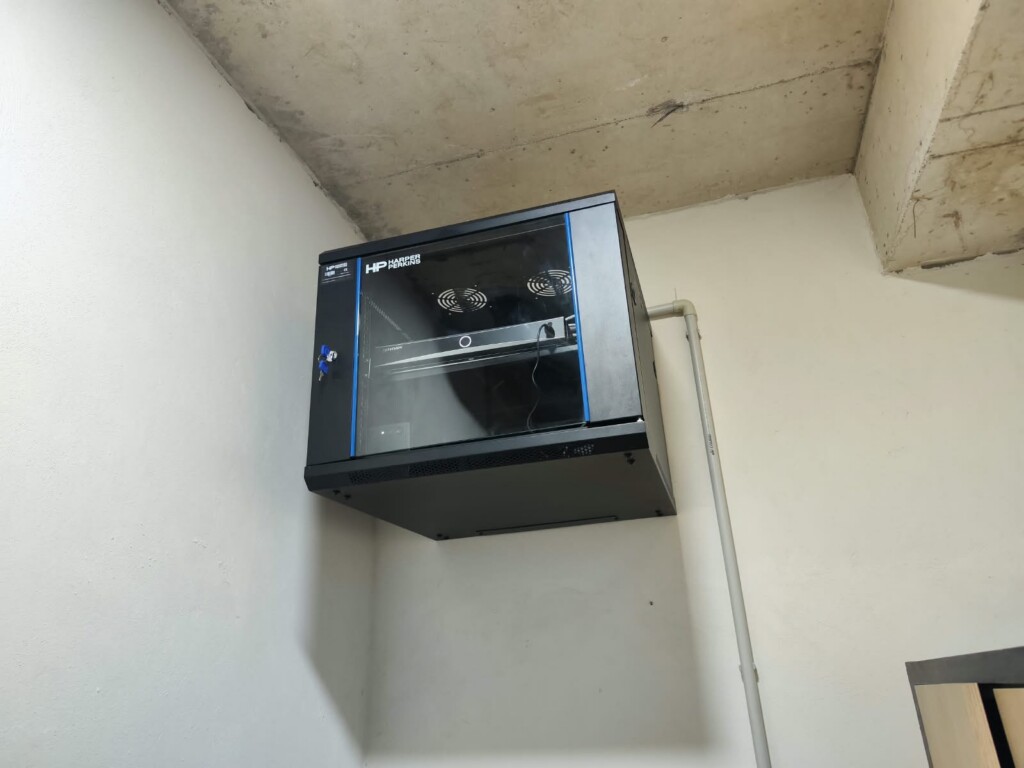
Details from our own installation photos. Select a photograph for a closer look.
Questions before you start.
Will you promise a particular Wi-Fi speed in every room?
We define the requirement and the checks for the actual site. Building materials, client devices, the network and the Internet connection all affect the result; an access point's headline radio rate is not a room-by-room speed promise.
Can the network support other manufacturers' equipment?
Often it can, but each required connection and feature must be checked. A shared network does not make all cameras, phones or access-control devices manageable through one manufacturer's application.
Do you also install fibre and organise racks?
Yes. Copper cabling, fibre termination and fusion splicing, patch panels and rack organisation can be included in the agreed project. Send the site layout and the links you need to connect.
Equipment for this system.
A selection from the current catalogue. Compatibility, configuration, price and availability are confirmed for your request.
-
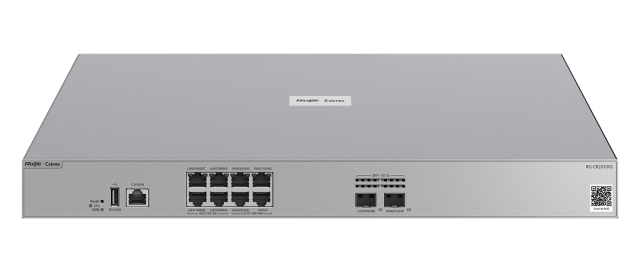
RG-CR2010XS
-
Hikvision DS-3E0105D-O 5 Port Fast Ethernet Unmanaged Desktop Switch
5 RJ45 ports
-
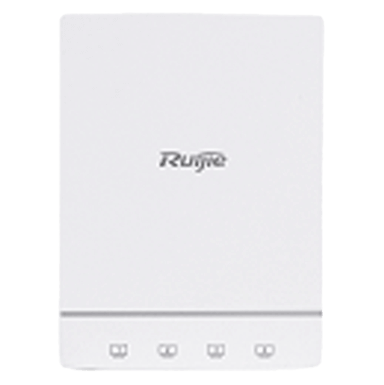
RG-AP180
-
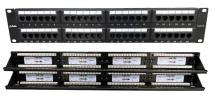
HP-PP24CAT5U – 24-Port Cat.5e UTP Patch Panel
24 RJ45 ports
Product family image
-
BLOF-PC-10109401 – SC-SC OS2 Duplex Fibre Patch Cord – 1 m
-
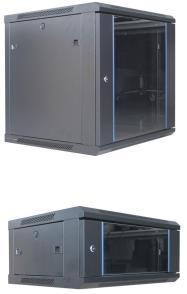
HP-W12U6060S – 12U Wall-Mount Rack Cabinet, 600 x 600 mm
Product family image
Continue with the connected work.
See how this fits into our IT infrastructure services.
LET’S MAKE THE NEXT STEP CLEAR
Discuss your network
Send a plan or describe the areas that need to work better. If you are troubleshooting, tell us where and when the problem appears.
Useful details to send
- Location and use of the premises
- Floor plan or approximate areas and floors
- Existing equipment and connected systems
- Required timing and areas that must stay operational